Bullet time AI: freeze a moment and circle around it
Upload an action photo and the moment stops in midair while the camera glides around it. There’s nothing to type: one photo becomes a 5-second bullet time video.
Drop a photo or click to upload
JPG, PNG or WebP · up to 10 MB
Action shots with one clear subject, like a jump or a splash, work best.
Examples
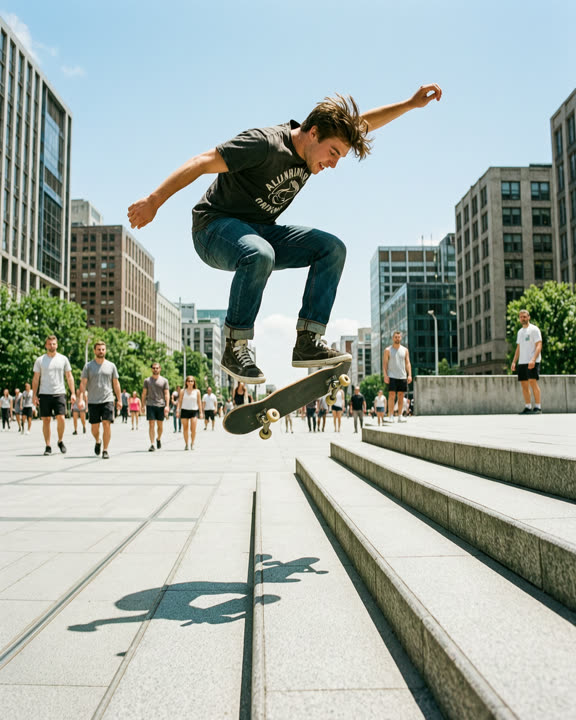
Real results from this effect. We made the photos ourselves with AI, so no real people are shown.
A skateboarder mid-jump over stairs
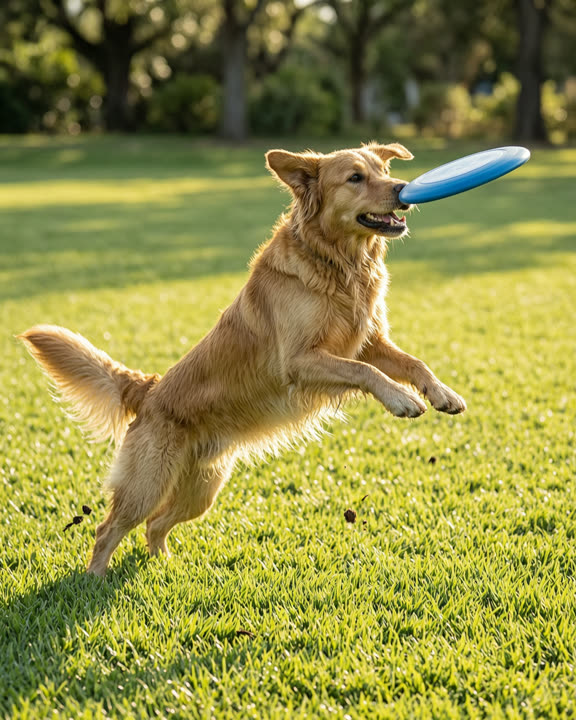
A dog leaping for a frisbee
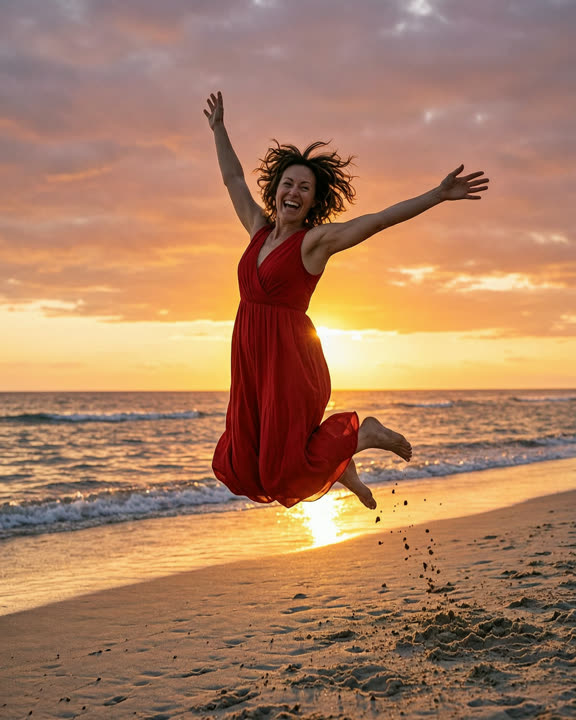
A woman in a red dress jumping on a beach
How to make a bullet time video
Upload an action photo
Drop a JPG, PNG or WebP of a frozen moment, up to 10 MB and at least 240 px on the short side.
Sign in and generate
Sign in with Google and click Generate. The button shows how many credits the video costs before you start.
Download and share
Your bullet time clip is usually ready in about 1–3 minutes. Download the MP4 or find it later in My creations.
Why try the bullet time effect
No camera rig needed
The classic movie shot used a ring of cameras. Here the orbit is built in, so a single photo from your phone is enough.
Made for social posts
You get a 5-second 720p MP4 that keeps the shape of your photo. Use a vertical photo for Reels, Shorts and TikTok.
Free credits to start
New accounts get free credits. If a video fails or takes too long, the credits are refunded automatically.
Choosing a photo for bullet time
The effect shines when something is happening in the photo: a skater in the air, a friend jumping into a pool, a dog catching a ball, a splash of water, hair or a dress caught mid-swing. A sharp shot taken with a fast shutter keeps the frozen moment crisp while the camera moves around it.
One main subject with some space around it gives the most reliable orbit. A background with depth, like trees, a street or a crowd far behind, makes the parallax easier to see. Very blurry shots, tight crops and photos with many people at the same distance are harder. Photos of children aren’t allowed; only use photos of yourself or adults who agreed.
What the video looks like
Time stops. Your subject stays completely still, mid-jump or mid-splash, while the camera travels in a smooth, wide arc around them and the background shifts behind. It’s the look of a movie action scene, made from one picture. The clip is 720p and silent, so add a beat or a whoosh in your editing app.
The AI has to guess what the sides and back of your subject look like, so results vary and some angles look less real than others. If the first try isn’t right, generate again or pick a photo where more of the subject is visible. Videos made with free credits carry a small AI watermark in the corner; videos made with paid credits have none.
Frequently asked questions
More AI effects
- Pet danceYour cat or dog stands up and dances.9 credits
- Old photo animationPeople in old photos blink, breathe and smile.9 credits
- Fruit cuttingA knife slices the object open to show juicy fruit inside.9 credits
- Earth zoom outThe camera pulls back from your photo all the way to space.9 credits
- AI danceThe person in your photo breaks into a dance.9 credits
- AI muscleFlex and grow a bodybuilder physique.9 credits
- BabyfiedSee an adult turn into a toddler version of themselves.9 credits
- AI ageWatch a face age by decades in five seconds.9 credits
- AI cakeA knife slices in and it was cake all along.9 credits
- AI inflateYour subject puffs up like a balloon and floats away.9 credits
- Product spinYour product turns on a turntable under studio lights.9 credits