Babyfied AI Video Effect
Upload a photo of a grown-up and watch them shrink into a giggling toddler version of themselves. There’s nothing to type: one photo becomes a 5-second video you can share with friends.

Drop a photo or click to upload
JPG, PNG or WebP · up to 10 MB
Use a clear photo of one adult, from the waist up or full body, with the face in view.
Examples
Real results from this effect. We made the photos ourselves with AI, so no real people are shown.
A bearded man in a denim shirt on a sofa
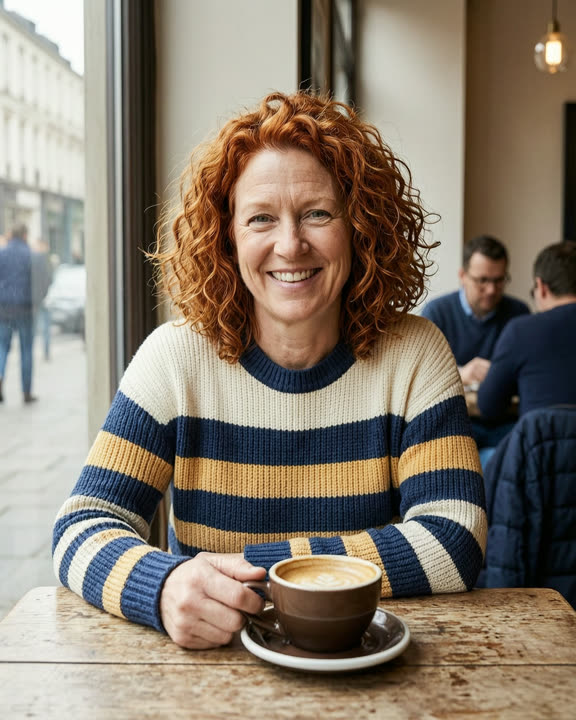
A red-haired woman in a striped sweater at a cafe

A man in a dark suit in an office lobby
How to make a Babyfied video
Upload a photo of an adult
Drop a JPG, PNG or WebP of yourself, or of an adult who agreed, up to 10 MB and at least 240 px on the short side.
Sign in and generate
Sign in with Google and click Generate. The button shows how many credits the video costs before you start.
Download and share
Your Babyfied video is usually ready in about 1–3 minutes. Download the MP4 or find it later in My creations.
Why try the Babyfied effect
More than a baby filter
A photo filter shows a still baby face. This effect shows the change itself: the adult shrinks, turns into a toddler, then giggles and waves.
Made for social posts
You get a 5-second 720p MP4 that keeps the shape of your photo. Use a vertical photo for TikTok, Reels and Shorts.
Free credits to start
New accounts get free credits. If a video fails or takes too long, the credits are refunded automatically.
Choosing the right photo
The effect keeps the hair color, face features and outfit from your photo, so it needs a good look at them. Pick a sharp, well-lit photo of one adult facing the camera, from the waist up or full body. A friend, a partner or a parent who’s happy to be babyfied all make great subjects.
The photo must show an adult. Photos of children aren’t allowed, even though the result is a toddler. Group photos can turn the wrong person into a baby, and sunglasses, hats or hands over the face make the toddler look less like the original.
What the video looks like
The adult in your photo smoothly shrinks and turns into a chubby toddler with the same hair color, similar features and a tiny version of the same outfit, then giggles and waves in the same spot. The video is 720p, about five seconds long, has no sound and is made with our Fast quality level.
The toddler is the AI’s guess, not a real childhood photo, and every result is a little different. Sometimes the likeness is strong, sometimes it drifts. If you don’t like the first one, try again or use another photo. Videos made with free credits carry a small AI watermark in the corner; videos made with paid credits have none.
Frequently asked questions
More AI effects
- Pet danceYour cat or dog stands up and dances.9 credits
- Old photo animationPeople in old photos blink, breathe and smile.9 credits
- Fruit cuttingA knife slices the object open to show juicy fruit inside.9 credits
- Earth zoom outThe camera pulls back from your photo all the way to space.9 credits
- AI danceThe person in your photo breaks into a dance.9 credits
- AI muscleFlex and grow a bodybuilder physique.9 credits
- AI ageWatch a face age by decades in five seconds.9 credits
- AI cakeA knife slices in and it was cake all along.9 credits
- Bullet timeTime freezes and the camera circles the moment.9 credits
- AI inflateYour subject puffs up like a balloon and floats away.9 credits
- Product spinYour product turns on a turntable under studio lights.9 credits